Microsoft Teams Alternative for Startups
Microsoft Teams is powerful — but it was built for enterprises, not early-stage teams. If your startup needs a lighter, faster, more transparent way to communicate, Cleariest is designed for exactly that.
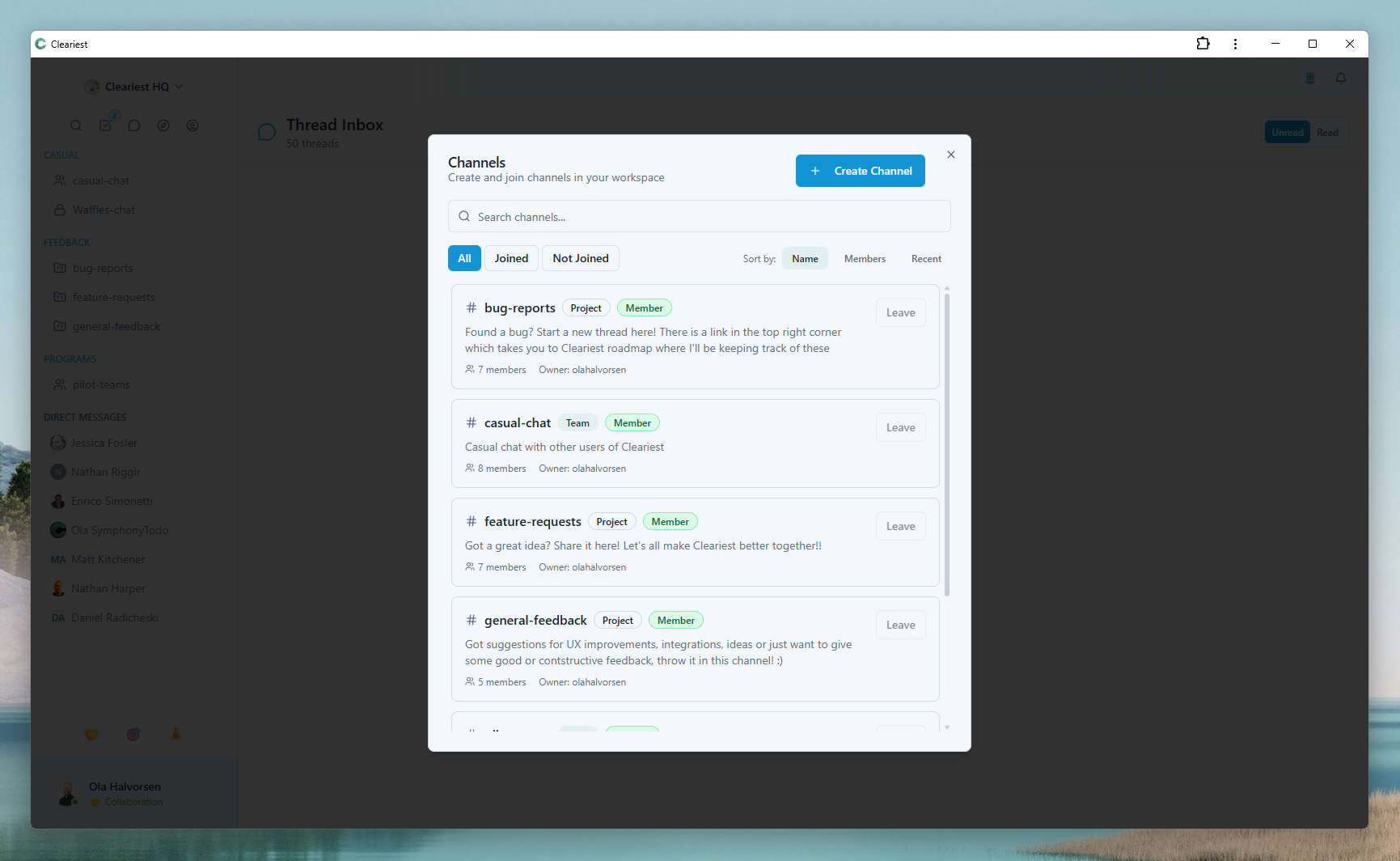
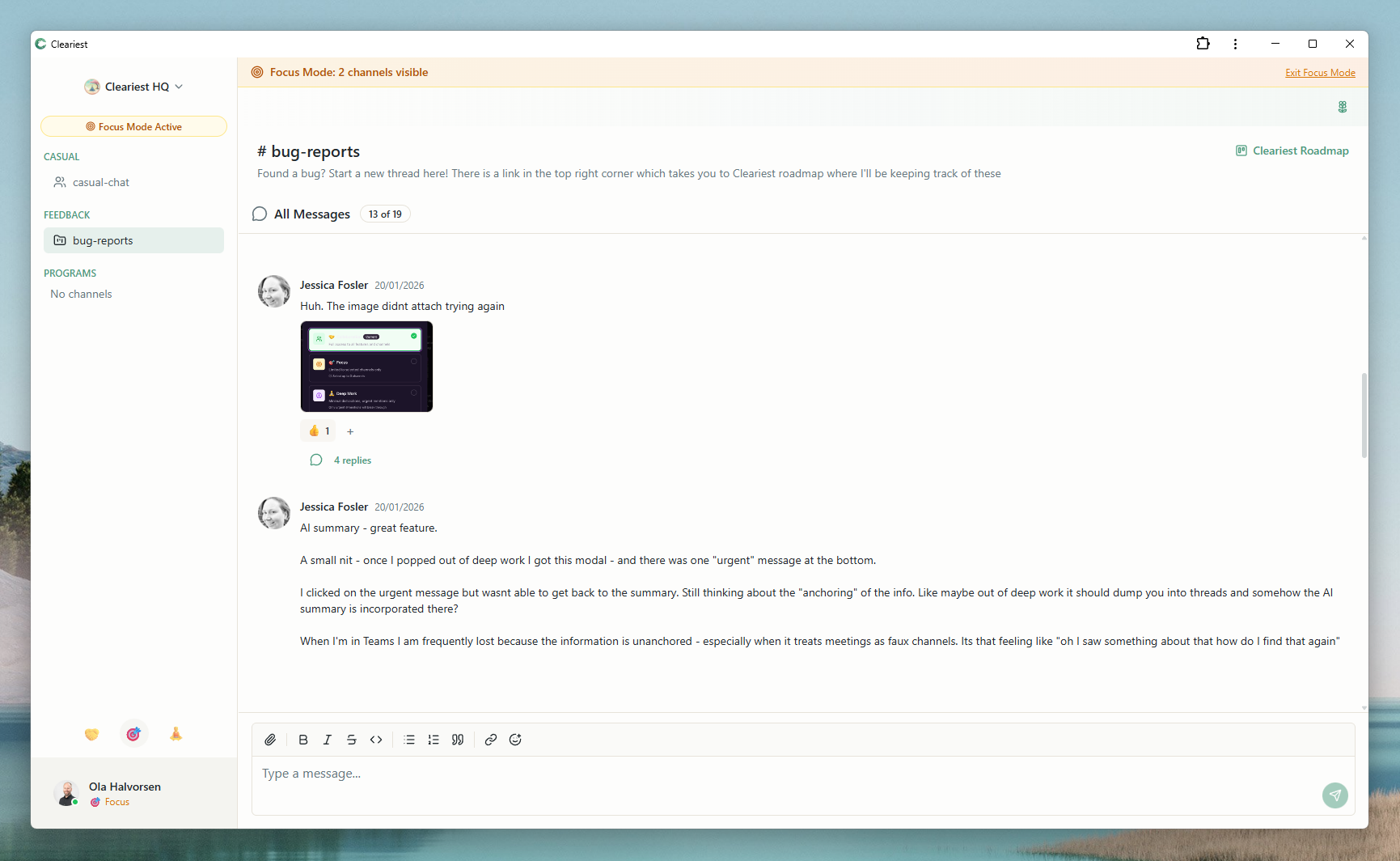
Screens from Cleariest's comparison pages, highlighting simpler channel navigation and focus controls.
Why Startups Struggle with Microsoft Teams
Microsoft Teams was designed for large organizations within the Microsoft 365 ecosystem. It excels at integrating with SharePoint, Outlook, and OneDrive. For enterprises with IT departments and established workflows, Teams is a natural fit.
But startups operate differently. Early-stage teams move fast, change direction frequently, and cannot afford time spent on tool configuration. Common pain points with Teams for startups include:
- Heavyweight interface: Teams bundles chat, video, files, tasks, and a calendar into one application. For a five-person startup, this is significant overhead.
- Tenant and admin complexity: Setting up a Teams environment requires Azure AD configuration, license management, and IT administration that most startups simply do not have bandwidth for.
- Private-first culture: Teams defaults to team-scoped channels that can feel siloed. Information often gets locked in direct messages and private chats, making it hard for new hires to find context.
- Notification noise: Between chat, channel messages, meeting reminders, and activity feed updates, Teams generates constant interruptions that fragment startup teams' focus.
None of this makes Teams a bad product. It makes it a product optimized for a different audience. If you are a 5-to-50-person team that needs to move quickly, Cleariest offers a fundamentally different approach.
How Cleariest Serves Startups Better
Cleariest was built by a startup founder for startup teams. Every feature decision starts with the question: does this help a small team communicate better without adding overhead?
Zero Setup Complexity
Create a workspace, invite your team, start chatting. No Azure AD, no tenant configuration, no license management. Your entire team can be up and running in under five minutes. This is not an exaggeration — there is genuinely no IT setup required.
Public Channels by Default
In a startup, everyone should have access to context. Cleariest defaults to public channels where all team members can see conversations. This means your third hire can find product decisions from month one, and no one needs to ask "can you add me to that channel?" Private channels exist when needed but they are the exception, not the norm. Learn more about the benefits of public vs private channels.
Built-in Focus Protection
Startups cannot afford to waste developer hours on notification overload. Deep Work Mode lets your engineers, designers, and builders block off focus time where notifications are paused and messages are batched. Emergency interrupts still work but require a reason.
AI Thread Summaries
Missed a long discussion while you were heads-down on a feature? Cleariest's AI summaries give you the key decisions and action items from any thread in seconds. No scrolling through 200 messages to find what matters.
Cleariest vs Microsoft Teams: Quick Comparison
| Aspect | Microsoft Teams | Cleariest |
|---|---|---|
| Setup time | Hours to days (Azure AD, licenses) | Under 5 minutes |
| IT admin required | Yes | No |
| Channel default | Team-scoped (private-leaning) | Public by default |
| Focus mode | Focus Assist (OS-level) | Deep Work Mode (app-level, with emergency interrupts) |
| Video calls | Full-featured video conferencing | On roadmap |
| Best for | Enterprises in Microsoft ecosystem | Startups and small teams |
| Free tier | Limited features, 60-min meetings | Up to 10 members, no message limits |
For a deeper comparison, see our full Cleariest vs Microsoft Teams comparison.
A Startup Communication Stack That Works
Most startups do not need an all-in-one platform. They need the best tool for each job, and they need those tools to stay out of the way. Here is a practical stack that keeps communication fast without creating overhead:
- Chat: Cleariest for async messaging, public channels, and focused communication
- Video: Google Meet or Zoom for synchronous meetings (keep them short and scheduled)
- Docs: Notion or Google Docs for long-form documentation and specs
- Code: GitHub or GitLab for code reviews and project management
This approach gives you specialized tools for each use case without the feature bloat that comes with trying to do everything in one application.
Startup Communication Evaluation Checklist
Use this checklist when evaluating whether to move from Microsoft Teams to a lighter alternative:
- Your team is under 50 people and does not need enterprise-grade compliance
- You do not have dedicated IT staff to manage Azure AD and licenses
- Your team values transparency and open access to information
- Notification overload is affecting your team's productivity
- You want async-first communication rather than meeting-first culture
- Speed of setup and simplicity matter more than feature breadth
Who Cleariest Is For — and Who It Is Not For
Great fit
- Early-stage startups (seed to Series A)
- Remote-first or hybrid startup teams
- Product and engineering teams
- Founders who want flat, transparent communication
Might not be the right fit
- Teams deeply embedded in Microsoft 365 (SharePoint, Outlook, OneDrive)
- Organizations needing built-in video conferencing today
- Large enterprises with strict compliance requirements
- Teams that rely on Teams-specific Power Automate flows
Getting Started: From Teams to Cleariest
-
1
Create a free workspace. Sign up at app.cleariest.com — no credit card, no Azure setup, no IT tickets.
-
2
Invite your core team. Start with 3–5 people who are most affected by Teams complexity. Let them set up public channels for their key projects.
-
3
Run a two-week pilot. Use Cleariest for day-to-day chat while keeping Teams for meetings. Track how much time your team saves and how transparency improves.
-
4
Decide based on results. If your team is more productive and communication is clearer, expand Cleariest to the full team.
Related Reading
Frequently Asked Questions
Is Cleariest really a good replacement for Microsoft Teams?
For startups and small teams, yes. Cleariest covers messaging, channels, file sharing, and video is on the roadmap. However, if your startup is deeply embedded in the Microsoft 365 ecosystem (SharePoint, Outlook, OneDrive), Teams integration may still be valuable.
Does Cleariest have video calls like Teams?
Video calling is on Cleariest's roadmap but is not available yet. Most startups pair Cleariest with a dedicated video tool like Google Meet or Zoom for calls, while using Cleariest for all async and text-based communication.
How much does Cleariest cost compared to Teams?
Cleariest starts at $29/month per workspace (Calm plan) with a 14-day free trial, no credit card required. Microsoft Teams starts free with limited features or costs $6/user/month with Microsoft 365.
Can I use Cleariest alongside Microsoft Teams?
Yes. Many teams use Cleariest for focused engineering communication while keeping Teams for organization-wide announcements or meetings. You can run both during a trial period to see which fits better.
What makes Cleariest better for startups specifically?
Startups need speed, transparency, and minimal overhead. Cleariest defaults to public channels (everyone sees everything), includes Deep Work Mode for focus time, and has zero setup complexity. No IT admin required, no tenant configuration, no license management.
Try the Lightweight Alternative
14-day free trial. No Azure AD. No license management. Just fast, transparent team chat starting at $29/month.