Slack Alternative for Deep Work & Focus Teams
If your team loses hours every day to Slack pings, context switching, and notification anxiety, you are not alone. Cleariest is a team chat app built from the ground up to protect focus time while keeping communication transparent and accessible.
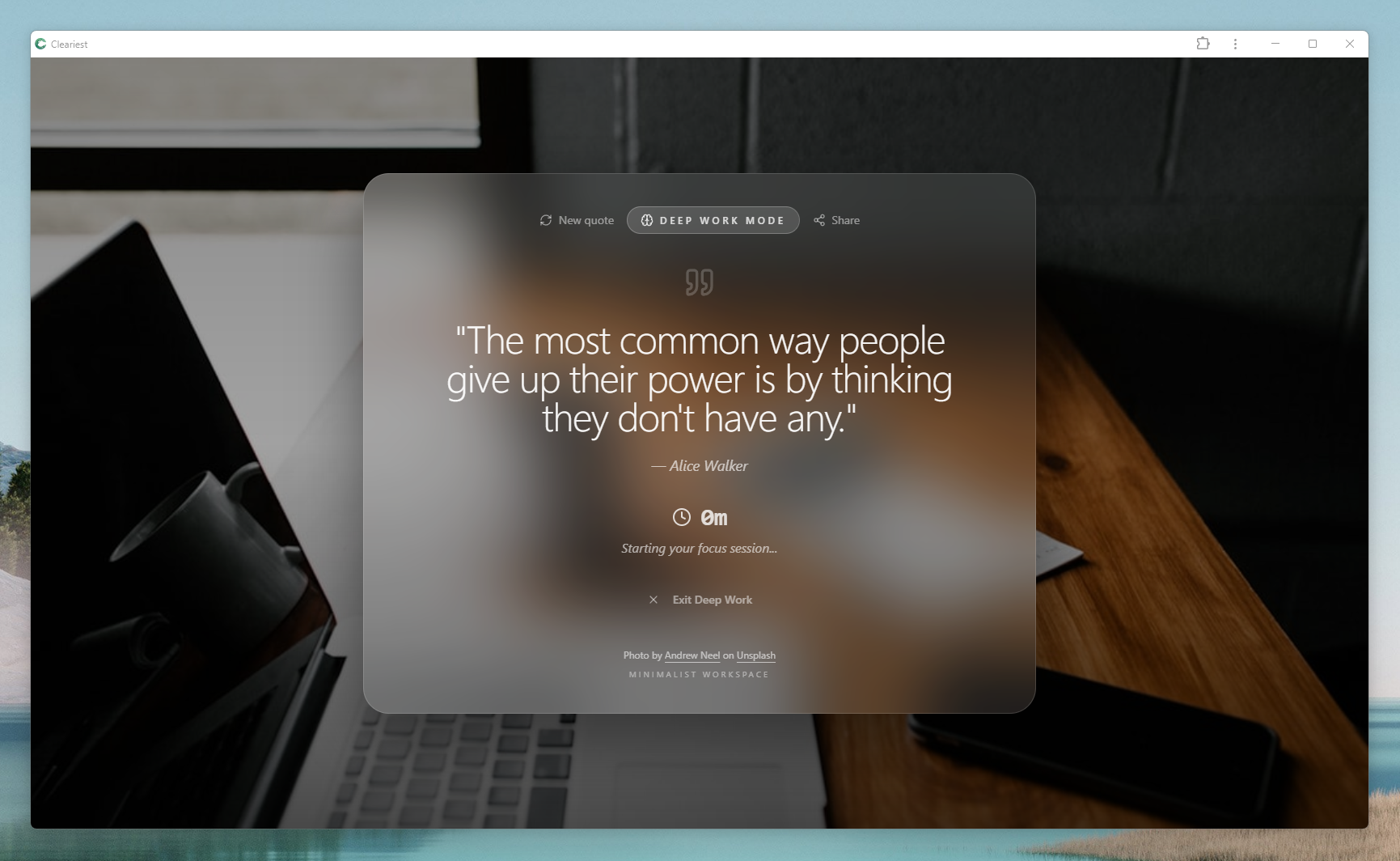
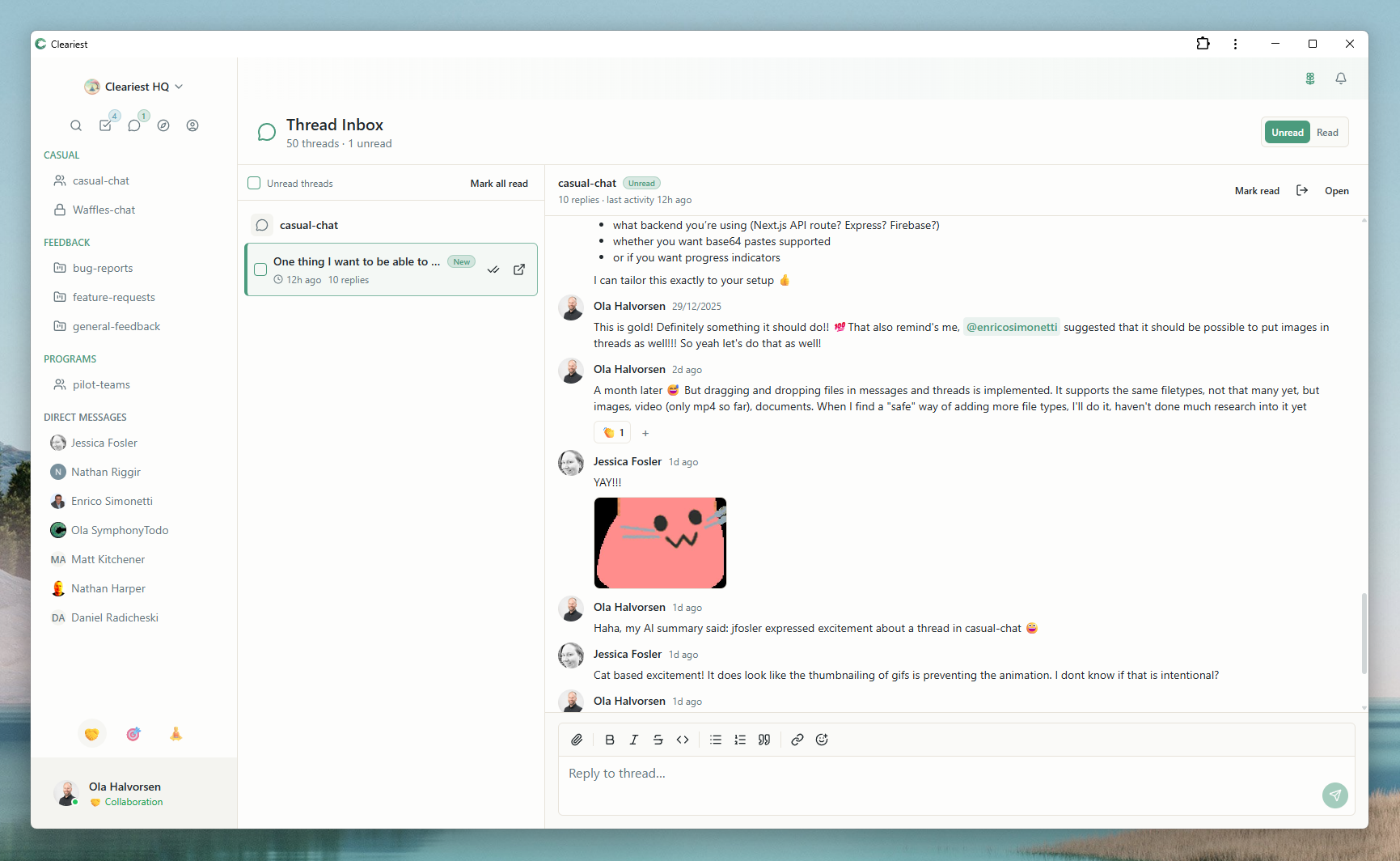
Screens from Cleariest's comparison gallery, showing focus protection and async-first workflows in practice.
Why Teams Leave Slack for Focused Communication
Slack transformed workplace communication when it launched. Real-time messaging, channels, and integrations brought teams closer together. But over time, many teams have noticed the downsides: a steady stream of notifications that fragment concentration, an expectation of instant replies that creates anxiety, and a sprawling channel list where important context gets buried in noise.
Research from the University of California, Irvine suggests that it takes an average of 23 minutes and 15 seconds to fully regain focus after an interruption. If your engineering team gets interrupted just four times a day, that is nearly two hours of lost productive time per person. Over a five-person team, that adds up to ten hours of deep work lost every single day.
This is not a flaw in how your team works. It is a design problem in the tool itself. Slack was built for engagement and responsiveness, which is exactly what some teams need. But if your team's most valuable output requires sustained concentration — writing code, designing products, creating content, solving complex problems — then you need a tool that treats focus as a first-class feature.
How Cleariest Protects Deep Work
Cleariest is not anti-communication. It is pro-focus. The core idea is simple: give teams the real-time messaging they need while building in structural protections against the interruption patterns that erode productivity.
Deep Work Mode
One click activates Deep Work Mode, which pauses all notifications and batches incoming messages. You set a timer (25 minutes to 4 hours), and Cleariest holds everything until you are ready to come back. Unlike Slack's Do Not Disturb, Deep Work Mode does not just mute — it fundamentally changes the UX to discourage casual interruptions. When someone tries to message you, they see that you are in deep work and must provide a reason if they choose to interrupt.
Notification Batching
Instead of real-time pings for every message, Cleariest batches notifications during focus sessions and delivers them as a digest when you exit Deep Work Mode. This means you get full context without the constant drip of interruptions that fragment your attention.
Emergency Interrupts with Friction
Urgent messages can still get through. But the sender must provide a reason for the interruption. This small amount of intentional friction filters out "quick question" pings while ensuring truly time-sensitive communication reaches you immediately.
Cleariest vs Slack: Feature Comparison
Both tools handle messaging, channels, and file sharing. The difference is in design philosophy and what each tool optimizes for.
| Feature | Slack | Cleariest |
|---|---|---|
| Focus mode | Do Not Disturb (mutes sound) | Deep Work Mode (pauses all notifications, batches messages, requires reason for interrupt) |
| Default channel visibility | Private-leaning | Public by default |
| AI summaries | Available (paid tier) | Built-in thread summaries |
| Integrations | 2,000+ apps | Growing ecosystem |
| Free tier | 90-day message history limit | Up to 10 members, no message limits |
| Design philosophy | Engagement and responsiveness | Focus and transparency |
For a full feature-by-feature breakdown, see our detailed Cleariest vs Slack comparison.
What a Typical Day Looks Like
Here is how a five-person engineering team uses Cleariest to protect their most productive hours:
Team checks the public #engineering channel for overnight updates. AI summaries catch them up on any long threads from the previous evening.
Three developers activate Deep Work Mode for a 2-hour block. Their status shows focus mode to the rest of the team.
Deep Work sessions end. Batched notifications arrive as a clean digest. Quick replies happen, no scrolling through hours of chat.
Afternoon focus block. A production incident triggers an emergency interrupt from the on-call engineer. The reason is visible and clear.
End-of-day async standup posted in the public channel. Everyone can see progress without a synchronous meeting.
Deep Work Readiness Checklist
Before switching to a focus-first chat tool, assess whether your team is ready for the shift. Use this checklist:
- Your team's primary output requires sustained concentration (code, design, writing, analysis)
- People regularly complain about notification overload or context switching
- You have tried Slack's Do Not Disturb but found it insufficient
- Your team is smaller than 50 people (Cleariest scales well for growing teams)
- Leadership supports asynchronous-first practices and protected focus time
- You value transparency and want conversations to default to public channels
Who Cleariest Is For — and Who It Is Not For
Great fit
- Startups and small teams (2–50 people)
- Engineering, design, and product teams that need focus time
- Remote and async-first teams
- Teams that value transparency and open communication
- Founders who want to set healthy communication norms early
Might not be the right fit (yet)
- Enterprise teams requiring 2,000+ integrations
- Organizations with strict compliance needs (HIPAA, FedRAMP)
- Teams that rely heavily on Slack-specific workflows and bots
- Organizations over 500 people (Cleariest is early-stage)
How to Switch from Slack to Cleariest
Migrating your team does not have to be disruptive. Here is a practical approach:
-
1
Start with a pilot team. Pick one team (5–10 people) that is most affected by notification overload. Set them up in a free Cleariest workspace.
-
2
Establish focus blocks. Have the team agree on two daily Deep Work windows (morning and afternoon). Track how many uninterrupted hours they gain.
-
3
Measure the difference. After two weeks, compare output, satisfaction, and interruption counts. Most teams see a meaningful difference within the first week.
-
4
Expand gradually. Roll out Cleariest to additional teams based on pilot results. Use public channels to maintain cross-team visibility.
Related Reading
Frequently Asked Questions
Can Cleariest replace Slack for my team?
Cleariest can replace Slack for teams that prioritize focus and transparency. It covers real-time messaging, channels, file sharing, and reactions. However, if you need 2,000+ integrations or enterprise compliance features, Slack may still be the better choice today.
How does Deep Work Mode differ from Slack's Do Not Disturb?
Slack's DND silences notifications but still shows unread badges and red dots. Cleariest's Deep Work Mode pauses all notifications, batches messages, and requires senders to provide a reason if they want to interrupt. It is designed to protect focus, not just mute sound.
Is Cleariest free?
Cleariest includes a 14-day free trial on all plans with no credit card required. Plans start at $29/month per workspace (Calm), $79/month (Flow), or $199/month (Deep).
Can I import my Slack history into Cleariest?
Cleariest does not currently support Slack history imports. Most teams start fresh, which actually helps establish healthier communication norms from day one.
What if someone on my team actually needs to reach me urgently?
Deep Work Mode includes an emergency interrupt feature. A colleague can break through your focus session but must provide a reason. This creates intentional friction that filters out casual pings while allowing genuinely urgent messages through.
Ready to Protect Your Team's Focus?
Start with a free workspace. No credit card required. See how Deep Work Mode changes the way your team communicates.