Team Chat Alternatives: Find the Right Fit
The right team chat tool depends on your team's size, working style, and priorities. This hub brings together our in-depth comparisons and alternative guides so you can make an informed choice — whether you're evaluating Cleariest for the first time or trying to escape notification overload from your current tool.

Why Teams Look for Alternatives
Most teams start with Slack or Microsoft Teams because they are the obvious choices. They work reasonably well at first. Then the notifications start. The channels multiply. The free tier fills up and suddenly you are paying per seat for a tool that interrupts your team fifty times a day.
For engineering teams, design teams, and anyone doing knowledge work, constant interruption is not a minor inconvenience. Research suggests it takes over twenty minutes to regain deep focus after an interruption. A team getting pinged just four times a day loses nearly two hours of concentrated work per person. For a five-person team, that is ten productive hours lost every single day.
Other teams leave because of cost. Slack's free tier now limits message history to 90 days — messages from three months ago simply disappear. Microsoft Teams is "free" only if you already pay for Microsoft 365. Discord works but was built for gaming communities, not professional work. And open-source tools like Rocket.Chat or Mattermost promise freedom but come with significant self-hosting overhead.
The guides below help you navigate these tradeoffs honestly. Each comparison covers what the tool does well, where it falls short, and who it is actually for.

Alternatives & Comparisons
Slack Alternative for Deep Work
Built for focus-first teams who need deep work protection. Covers Deep Work Mode, notification batching, and why Slack's DND isn't enough.
Read more →Microsoft Teams Alternative for Startups
Lightweight and transparent, without the Microsoft overhead. For startups that don't need an enterprise suite to send a message.
Read more →Best Team Chat for Async Teams
Async-first channels with AI summaries for distributed teams. For remote teams that span timezones and need to communicate without synchronous meetings.
Read more →Discord Alternative for Work
Professional team chat without the gaming distractions. Discord works for communities but professional teams deserve better tooling.
Read more →Slack vs Teams vs Cleariest
3-way comparison to find the right tool for your team. Side-by-side features, pricing, and honest pros and cons for 2026.
Read more →Open Source Team Chat
Self-hosted vs managed: honest analysis of the real costs. Covers Rocket.Chat, Mattermost, Zulip, and Element/Matrix.
Read more →Simple Team Chat App
Less bloat, more focus. Setup in under 2 minutes. For small teams that just want to communicate without an enterprise onboarding process.
Read more →Basecamp Alternative for Chat
When Campfire isn't enough for real-time team communication. Cleariest shares the calm philosophy and adds what Campfire is missing.
Read more →Detailed Side-by-Side Comparisons
These dedicated comparison pages go deep on features, pricing, and use cases for the two most popular tools.
Cleariest vs Slack
Detailed feature-by-feature comparison covering messaging, integrations, pricing, and focus protection.
Read full comparison →Cleariest vs Microsoft Teams
Detailed feature-by-feature comparison covering the M365 ecosystem, video meetings, pricing, and team communication quality.
Read full comparison →How to Choose the Right Team Chat
The right team chat tool is not necessarily the most popular one or the one with the most integrations. It is the one that matches how your team actually works — and the communication problems you are actually trying to solve.
If your team is embedded in the Microsoft ecosystem and already pays for Microsoft 365, Teams is genuinely a reasonable choice. The additional cost is zero and the integration with Outlook, SharePoint, and Office is tight. The tradeoff is a heavier, more complex interface and a Teams-within-Teams structure that confuses almost every new user.
If your team needs deep integrations with hundreds of SaaS tools and operates at large scale, Slack's ecosystem is unmatched. The cost is real — paid plans start around $7.25 per user per month, and it adds up quickly for teams over 20 people. The free tier is increasingly limited, with the 90-day message history cutoff frustrating teams that need to search old context.
If your team prioritizes focus, transparency, and simplicity — and you want to actually be able to do deep work without constant pings — Cleariest was built for you. Plans start at $29/month per workspace with a 14-day free trial, no credit card required. All plans include Deep Work Mode and AI summaries.
Choose Slack if...
- You need 1,000+ third-party integrations
- Your team is 50+ people with complex workflows
- You require enterprise compliance features
- Budget is not a constraint
Choose Teams if...
- You already pay for Microsoft 365
- Video meetings are central to how you work
- Your IT team manages Windows infrastructure
- You are a larger organisation with admin needs
Choose Cleariest if...
- Your team does knowledge work needing focus
- You are a startup or team under 50 people
- Notification overload is a real problem
- You want transparency and public-first channels
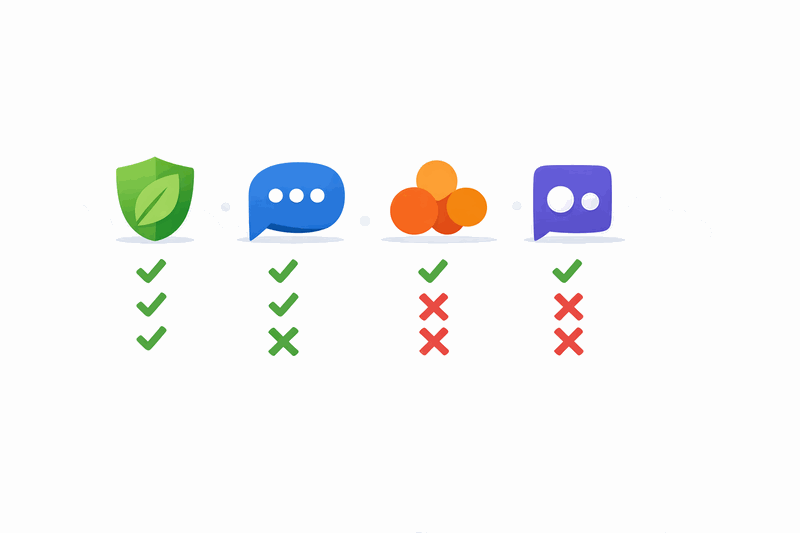
Cleariest vs Popular Alternatives: At a Glance
| Feature | Slack | Teams | Discord | Cleariest |
|---|---|---|---|---|
| Deep Work Mode | DND only | Focus Assist | ❌ | ✅ Full protection |
| AI Summaries | Add-on cost | Copilot (extra) | ❌ | ✅ Built-in |
| Free tier | 90-day limit | M365 required | ✅ (community) | ✅ Up to 10 members |
| Public channels default | Private-leaning | Private | Mixed | ✅ Public-first |
| Setup time | 30+ min | 60–90 min | 20–30 min | Under 2 min |
| Designed for work | ✅ | ✅ | ❌ (gaming) | ✅ |
Ready to Try the Focus-First Alternative?
Cleariest starts at $29/month per workspace. 14-day free trial, no credit card required. Deep Work Mode and AI summaries included from day one.