Transparent Team Communication Tool for Work
Most teams default to private channels, closed DMs, and information hoarding — not because they intend to, but because their tools make it the path of least resistance. Here is how transparent communication actually works in practice, why it accelerates teams, and how to implement it without overwhelming anyone.
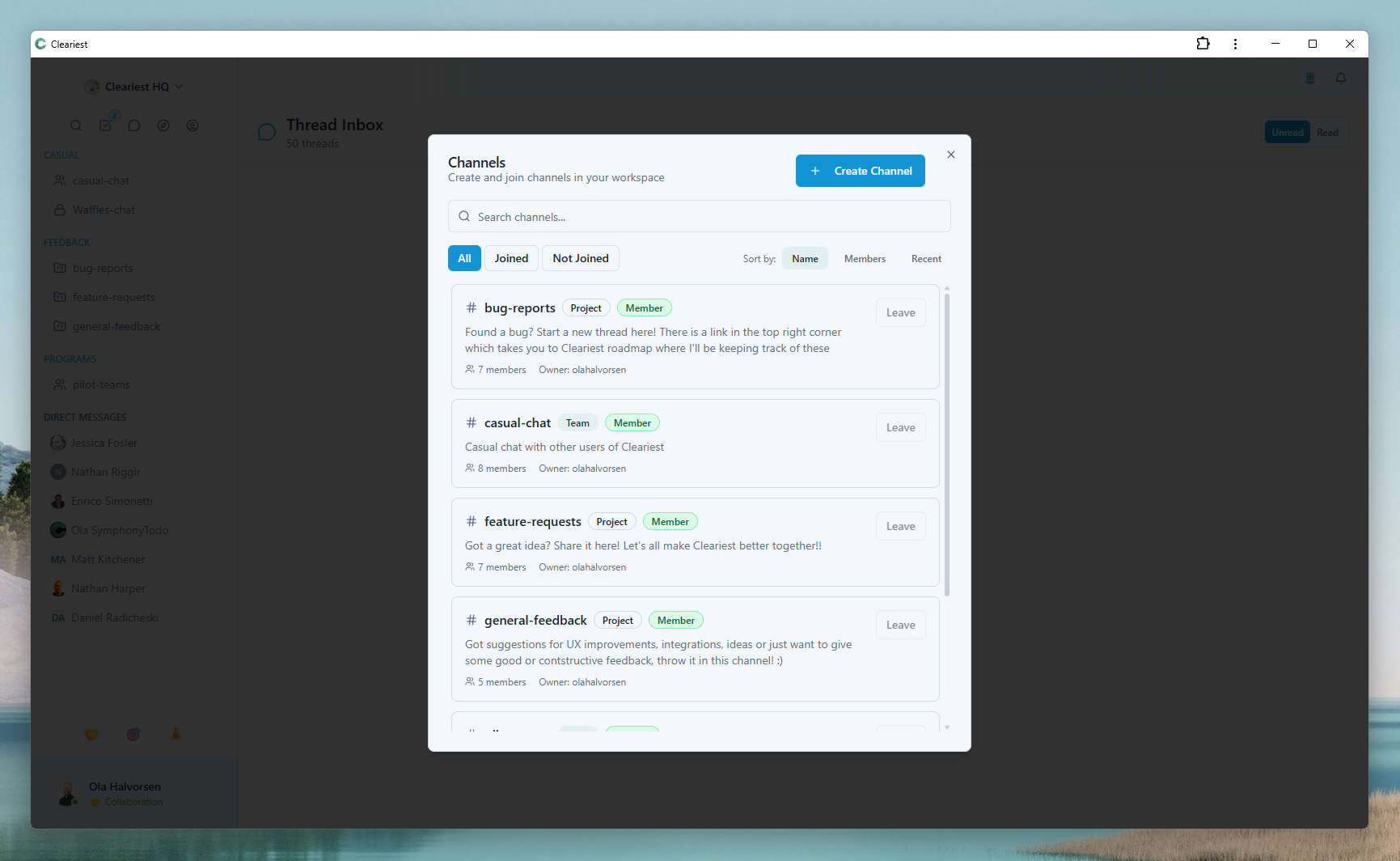
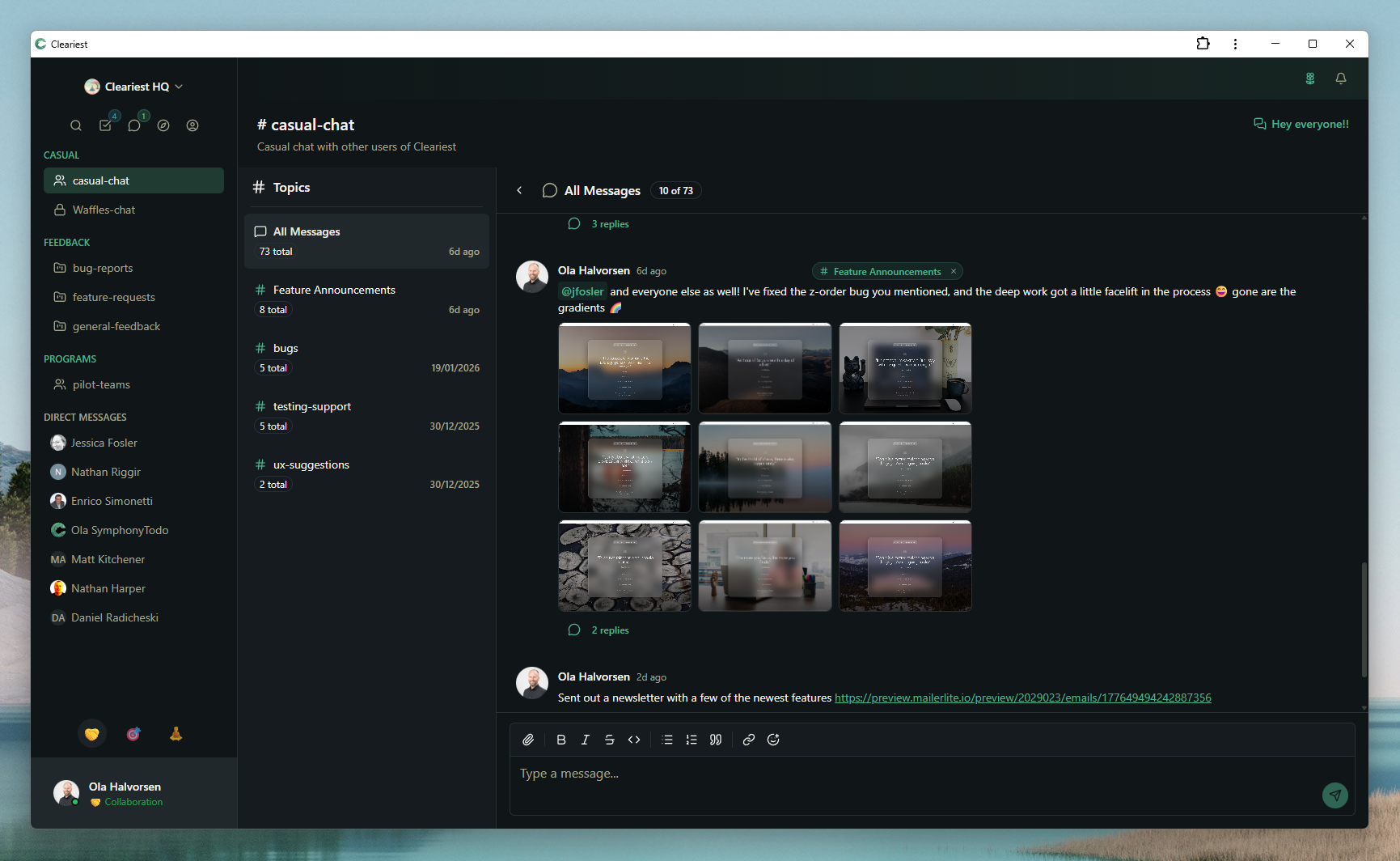
Screens from the compare pages that show public-first channels and transparent information flow.
Why Transparency Matters More Than You Think
Information silos are the silent killer of growing teams. When decisions happen in private DMs, when context lives in channels only three people can access, and when new hires have to ask permission to see project history — the entire organization slows down. Not dramatically, but consistently. Death by a thousand locked channels.
Research on organizational transparency consistently shows the same pattern: teams with open information flow make better decisions, onboard new members faster, and build higher trust. A 2023 study published in the Harvard Business Review found that companies with high internal transparency had 30% higher employee engagement and significantly lower turnover. The reason is straightforward — people who understand why decisions are made feel ownership over outcomes.
Hidden decisions breed distrust. When a product direction changes and the team only hears about it secondhand, when a technical decision is made in a private thread and nobody else understands why, when someone asks "why did we do it this way?" and nobody can find the original discussion — these are all symptoms of communication tools that default to secrecy. The decisions themselves might have been perfectly reasonable, but the lack of visibility makes them feel arbitrary.
Transparency also accelerates onboarding dramatically. When a new engineer joins a transparent team, they can search public channels to understand past decisions, read design discussions, and see how the team communicates. Instead of spending their first two weeks asking "who do I talk to about X?" they can simply search and find the answer. This is not a minor efficiency gain — it can cut onboarding time in half.
What Transparent Communication Looks Like in Practice
Transparency is not about broadcasting everything to everyone. It is about making information accessible by default so that anyone who needs context can find it without asking for permission. Here is what that looks like in a well-functioning startup:
Public channels for project work
Every project, feature, and initiative gets a public channel. Design reviews happen in public. Architecture decisions are discussed where anyone can read them. When a frontend engineer wants to understand why the API was structured a certain way, they search the backend channel and find the original discussion — no need to interrupt anyone with a question that was already answered three months ago.
Shared decision threads
When a decision needs to be made — choosing a technology, changing a process, adjusting priorities — the discussion happens in a public channel with a clear thread. Anyone who has relevant input can contribute. The decision and its rationale are preserved in searchable history, eliminating the "why did we do this?" questions that plague teams six months later.
Searchable history as documentation
In transparent teams, chat history becomes a living knowledge base. Instead of maintaining separate wikis that go stale, the actual discussions, decisions, and context live in searchable channels. New team members do not need a two-week onboarding guide — they need access to the conversations where things were decided.
No "ask permission to access"
The friction of requesting access to a private channel is small but insidious. Most people simply do not bother. They work with incomplete information rather than asking. In a transparent environment, this friction disappears. Public channels mean anyone can browse, search, and catch up without sending a single request or waiting for approval.
How Cleariest Makes Transparency the Default
Most chat tools let you create public channels, but they do not encourage it. Slack defaults to private. Microsoft Teams buries channel visibility settings. The result is predictable: teams drift toward private communication because that is what the tool makes easiest. Cleariest takes the opposite approach.
Public channels by default. When you create a channel in Cleariest, it is public. You can make it private if needed — for HR discussions, legal matters, or sensitive personnel issues — but the default is openness. This single design decision changes team behavior more than any policy document ever could. Read more about this approach in our public vs private channels guide.
Search across all public conversations. Every team member can search across every public channel in the workspace. Looking for why a particular technology was chosen? Search for it. Wondering what was discussed in last week's design review? Find it. This eliminates the information asymmetry that plagues teams using private-first tools.
New members get instant context. When someone joins your workspace, they immediately have access to every public channel's full history. No onboarding buddy needs to spend hours explaining past decisions. No manager needs to forward old conversations. The context is already there, searchable and accessible from day one.
No channel access requests. There is no "request access" flow for public channels because there does not need to be one. If a channel is public, you can join it, read it, and search it. This removes the social friction that keeps people operating with incomplete information — a friction so small that most teams do not even notice it is costing them productivity. See how this compares to Slack's approach.
The Transparency Spectrum: Finding Your Balance
Full radical transparency is not always appropriate. Certain conversations genuinely need privacy. The goal is not to eliminate private channels — it is to make transparency the default and privacy the deliberate exception. Here is where each approach makes sense:
Make it public
- Project decisions and technical architecture
- Daily standups and async status updates
- Design reviews and code review discussions
- Product roadmap conversations
- Team retrospectives and process improvements
- Bug reports and incident response
Keep it private
- HR and personnel discussions
- Performance reviews and compensation
- Legal matters and contracts
- Security vulnerabilities before patches
- Confidential business strategy
- Personal or sensitive employee matters
The key insight is that most teams have the ratio backwards. They make 80% of channels private and 20% public, when it should be the other way around. Flipping this ratio does not mean sharing sensitive information — it means recognizing that most work conversations are not actually sensitive. They are just defaulting to private because that is what the tool encourages.
Implementing Transparency: A Step-by-Step Guide
You do not need to transform your entire organization overnight. Start small, show results, and expand gradually. Here is a practical implementation plan:
-
1
Start with one team. Pick a team that is already collaborative and open to experimentation — often engineering or product. Have them move their project channels to public for one month. Do not force everyone at once.
-
2
Make project channels public. For every active project, create a public channel where decisions, discussions, and updates happen. Make it the norm that project-related conversations belong here, not in DMs between two people.
-
3
Establish communication norms. Write down simple guidelines: "Project decisions happen in public channels. DMs are for personal or sensitive topics. If a DM thread becomes a decision, move it to the channel." These norms matter more than tools.
-
4
Measure information flow. After one month, check: Has onboarding gotten easier? Are people asking fewer "where do I find X?" questions? Has the number of "can you forward me that conversation?" requests dropped? These are your transparency metrics.
-
5
Expand gradually. Once the pilot team sees results, share them with the rest of the organization. Use concrete examples: "We reduced onboarding questions by 40%" or "New engineers are productive a week earlier." Let the results sell the approach. Learn how transparent collaboration reduces friction across teams.
Who This Is For — and Who It Is Not For
Transparency works well for
- Startups where context-sharing accelerates growth
- Remote and distributed teams who cannot rely on hallway conversations
- Engineering teams making frequent architectural and technical decisions
- Fast-growing teams onboarding new members regularly
- Organizations building high-trust, low-politics cultures
Less ideal for
- Highly regulated industries with strict information compartmentalization (defense, certain healthcare)
- Organizations where legal compliance requires information barriers
- Teams that handle classified or highly sensitive data as their primary work
Related Reading
Frequently Asked Questions
Won't transparency overwhelm people with too much information?
Not with the right tools. Cleariest's Deep Work Mode and AI summaries help people access relevant information without drowning in it. Transparency means information is available, not that everyone must read everything. People self-select the channels and conversations that matter to their work.
How do you maintain psychological safety with public channels?
Transparency is about sharing information, not surveillance. Public channels make decisions and context visible, not individual activity. Focus on outcomes and collaboration, not monitoring who said what and when. Teams that embrace transparent communication report higher trust, not lower safety.
What if leadership pushes back on public channels?
Start small with one team's project channels. Show concrete results — faster onboarding, fewer duplicate questions, less time spent forwarding messages — before expanding. Once leadership sees the efficiency gains, the case for transparency makes itself.
Does transparent communication slow down decisions?
The opposite. When information is accessible, people can make informed decisions without waiting for forwarded messages or access requests. Hidden information creates bottlenecks. Transparent information removes them. Teams using public-first communication often find that decisions happen faster because the right people can contribute without being explicitly invited.
How is Cleariest different from just using public Slack channels?
Cleariest defaults to public and designs the entire UX around transparency. Slack lets you create public channels but defaults to private and does not guide behavior toward openness. The difference is structural: Cleariest makes transparency the path of least resistance, while Slack makes privacy the default and leaves transparency as an opt-in choice most teams never make.
Make Transparency Your Default
Cleariest is built for teams that believe open communication drives better outcomes. Public channels by default, searchable history, and no information gatekeeping. Try it free.