Engineering Team Communication: Built for Focus, Not Interruptions
Engineers are the role most severely damaged by notification-heavy chat culture. Flow state — the deep concentration required for hard problems — takes 20 minutes to achieve and seconds to break. This guide covers how to build a communication infrastructure that protects engineering focus rather than destroying it.
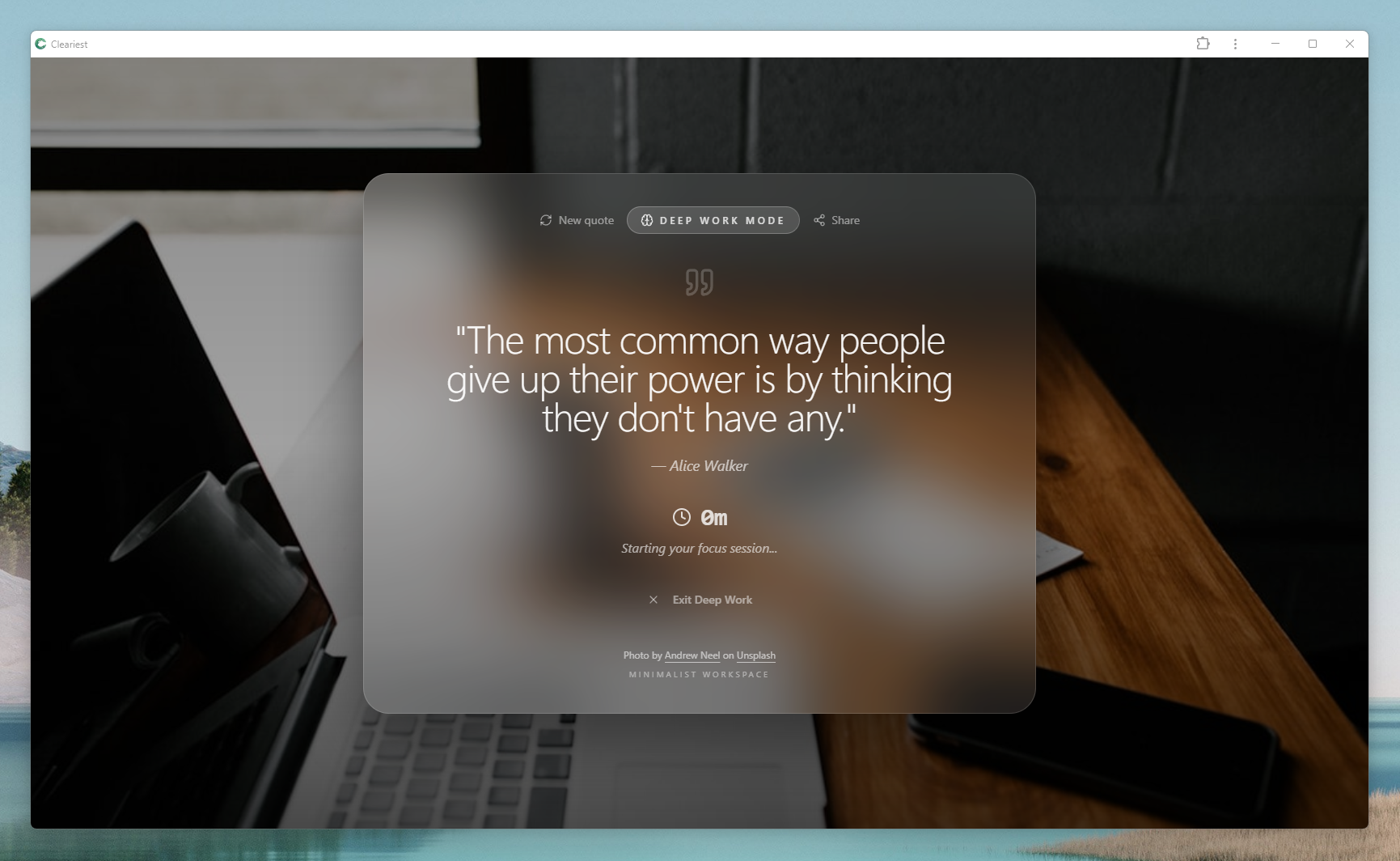
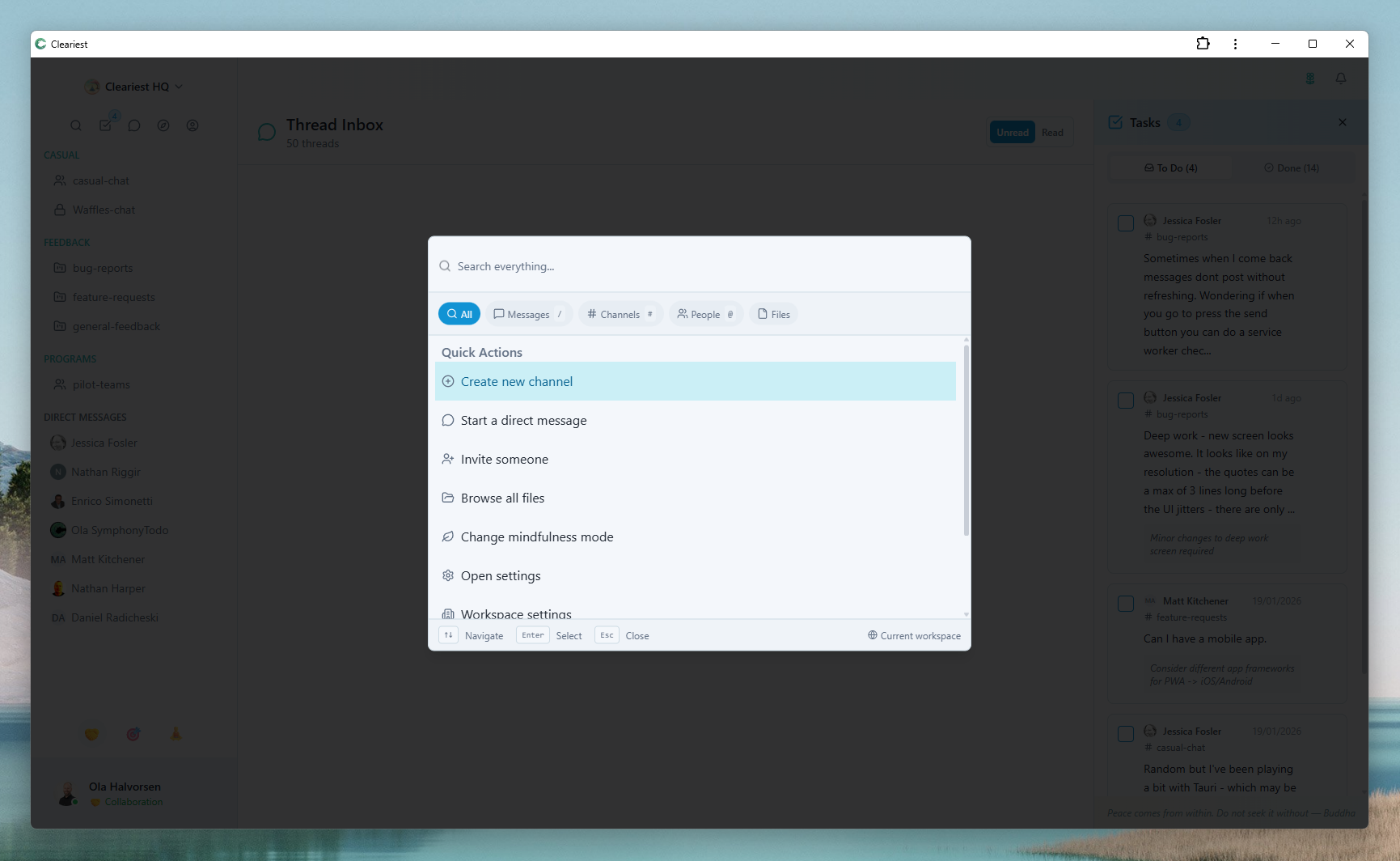
Built for engineering teams: Deep Work Mode protects flow state, quick search keeps context accessible.
The Unique Communication Needs of Engineering Teams
Engineering teams have communication requirements that differ meaningfully from sales, marketing, or support teams. Understanding these requirements is essential to choosing and configuring a chat tool that helps rather than hinders.
Long uninterrupted focus blocks
Hard engineering problems require sustained concentration. A 90-minute flow state session produces more output than four 20-minute fragmented sessions. Communication tools must preserve these blocks, not fragment them.
Code-friendly communication
Engineers share code snippets, error messages, and technical content in chat regularly. A tool without proper code formatting isn't a minor inconvenience — it's a daily friction tax on every technical discussion.
Async by professional default
Tickets, PRs, code review, and sprint planning are all already async. Engineering work is designed for asynchronous collaboration. The communication tool should reinforce this, not fight it with real-time pressure.
High signal-to-noise requirements
Engineers already process high cognitive loads during focused work. Chat noise — irrelevant notifications, social chatter during focus blocks — is more damaging for engineers than for roles that naturally work in a more interrupt-driven mode.
Why Slack Was Built for Sales Teams, Not Engineers
This isn't a criticism of Slack — it's an observation about what it was optimized for. Slack's entire metric system is built around engagement: daily active users, messages sent, response times. The product features that drive these metrics — persistent green dots, typing indicators, unread badge counts, @here mentions — are perfect for sales teams that need constant, rapid, responsive communication.
For engineering teams, these same features are actively harmful. A notification that takes 30 seconds to read and dismiss has an actual productivity cost of approximately 23 minutes — the average time to recover from an interruption and return to the pre-interruption focus level. A sales rep can absorb that cost because their work is inherently interrupt-driven. An engineer cannot.
The result is that engineering teams using Slack are constantly working against their tool's design defaults. The tool wants you to be responsive. Engineering requires you to be focused. These are direct conflicts.
The 23-Minute Cost of Each Interruption — Engineering Edition
The 23-minute recovery figure from UC Irvine is well-known. For engineers, it understates the actual cost because of flow state dynamics.
Flow state loss is binary, not gradual
When an engineer reaches flow state, they're not just "more productive" — they're operating in a qualitatively different cognitive mode. Flow state enables solving complex problems that can't be solved in shallow work sessions. A single notification that breaks flow state doesn't reduce productivity by 10% — it ends the flow state session entirely. The next 20 minutes are spent rebuilding it.
Context switching between codebases is expensive
Unlike most knowledge work, engineering requires holding a complex mental model of code in working memory. When a notification pulls attention to a completely different topic (a question about deployment, a Slack message about a product decision), the mental model is lost and must be rebuilt from scratch.
The real math for a 5-engineer team
# Daily interruption math
5 engineers × 4 interruptions/day = 20 interruptions
20 × 23 min recovery = 460 minutes/day
= 7.7 hours of flow state lost daily
= ~1 engineer's full output, every day
How Engineering Teams Use Cleariest Differently
Deep Work Mode during sprints
Engineers activate Deep Work Mode during morning coding blocks. Teammates see the status and know not to expect a response. Notifications batch until the session ends.
Code formatting in channels
Inline code with backticks, multi-line code blocks with triple backticks. Share error messages, snippets, and stack traces in readable format directly in chat.
Public engineering channels
Architecture decisions, incident postmortems, deployment discussions — all in public channels that are searchable by future team members and new hires.
AI summaries for catch-up
After a 3-hour deep work session, AI summaries let engineers catch up on everything that happened in #engineering and #standup in 2 minutes rather than reading 100 messages.
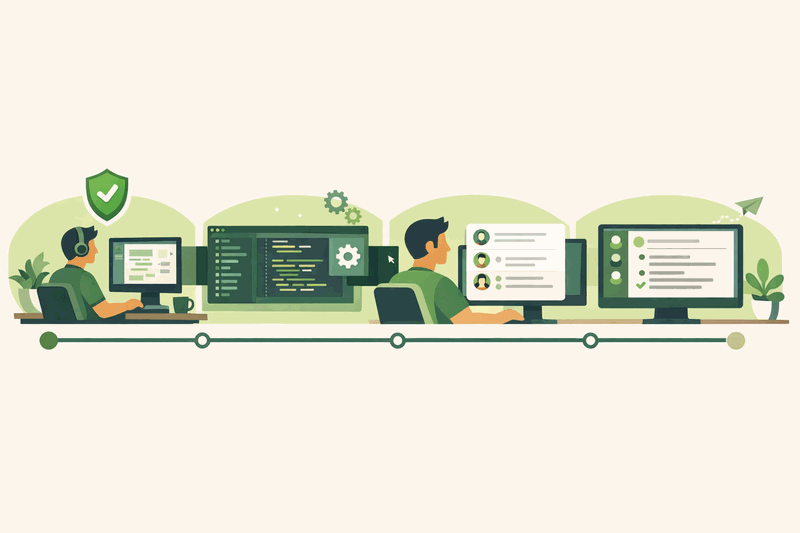
Sprint Communication Workflow with Cleariest
Here's what a typical day looks like for an engineering team that has optimized their communication workflow around deep work.
Async standup post
Each engineer posts their 3-line standup to #standup. Takes 2 minutes per person. No one needs to be awake at the same time.
Deep Work block begins
All engineers activate Deep Work Mode for 2.5 hours. Status visible to team. Notifications paused. Sprint coding begins.
Deep Work ends, digest review
Cleariest delivers batched digest of everything that came in during the focus block. Engineers process communication in 10 minutes.
Lunch + open communication window
Respond to messages, review PRs, address blockers from standup. This is the sync window — not the whole day.
Second Deep Work block
Optional second 2-hour focus block for the afternoon. Engineers choose their own schedule based on their energy patterns.
Afternoon sync window
Code review, PR merges, planning conversations. Synchronous collaboration window without formal meetings scheduled during focus blocks.
Feature Comparison for Engineering Teams
| Engineering Feature | Slack | Cleariest |
|---|---|---|
| Deep Work Mode / focus protection | DND only | |
| Notification batching after focus session | ||
| Code formatting (backticks) | ||
| AI summaries (channel catch-up) | Paid add-on | |
| Public channels by default | ||
| Visible focus status to teammates | Manual status | |
| Emergency override during focus | DND override | With required reason |
Frequently Asked Questions
What's the best chat tool for software engineering teams?
The best chat tool for engineering teams protects focus time (the most valuable resource for developers), supports code formatting, is async-first by design, and doesn't optimize for engagement metrics that conflict with deep work. Cleariest is specifically designed with these requirements: Deep Work Mode for focus protection, backtick code formatting, async-first UX, and public channels that make engineering decisions searchable.
How does Deep Work Mode help developers?
Developers achieve "flow state" — deep concentration that enables complex problem-solving — only after approximately 20 minutes of uninterrupted work. A single notification breaks flow state and requires another 20-minute ramp-up. Deep Work Mode prevents this by pausing all notifications during a timed focus session, showing teammates an "In Deep Work" status so they know why you're not responding, and delivering a batched digest when the session ends.
Does Cleariest support code formatting and syntax highlighting?
Yes. Cleariest supports inline code formatting with backticks and multi-line code blocks with triple backticks. Code blocks are displayed in a monospace font with proper formatting. Full syntax highlighting support is on the roadmap.
How do engineering teams manage on-call communication in Cleariest?
On-call scenarios require urgent communication even during focus time. Cleariest's emergency override feature allows anyone to break through a Deep Work Mode session with a required reason field — ensuring that genuinely urgent on-call alerts reach the on-call engineer immediately, while non-urgent communications are still batched. Teams typically set up a dedicated #incidents channel for on-call communication.
Related Reading
Deep Work Tools for Teams
Protect focus at the team level with notification batching and Deep Work Mode.
Focus Mode for Teams
Activate team-wide focus sessions and normalize uninterrupted coding blocks.
Reduce Slack Notifications
Practical guide to cutting notification overload for teams using Slack.
Async Standup Communication
Replace the morning standup meeting with async channel posts. Save the focus block.
Communication Built for Engineers
Cleariest protects flow state with Deep Work Mode, supports code formatting, and provides AI summaries for async catch-up. Built for how engineering teams actually work.