Team Chat for Small Teams: Enterprise Features Without Enterprise Complexity
Slack and Microsoft Teams were built for companies with thousands of employees, dedicated IT departments, and full-time Slack admins. Small teams need something simpler — the core features that make team chat valuable, without the complexity, cost triggers, and admin overhead.
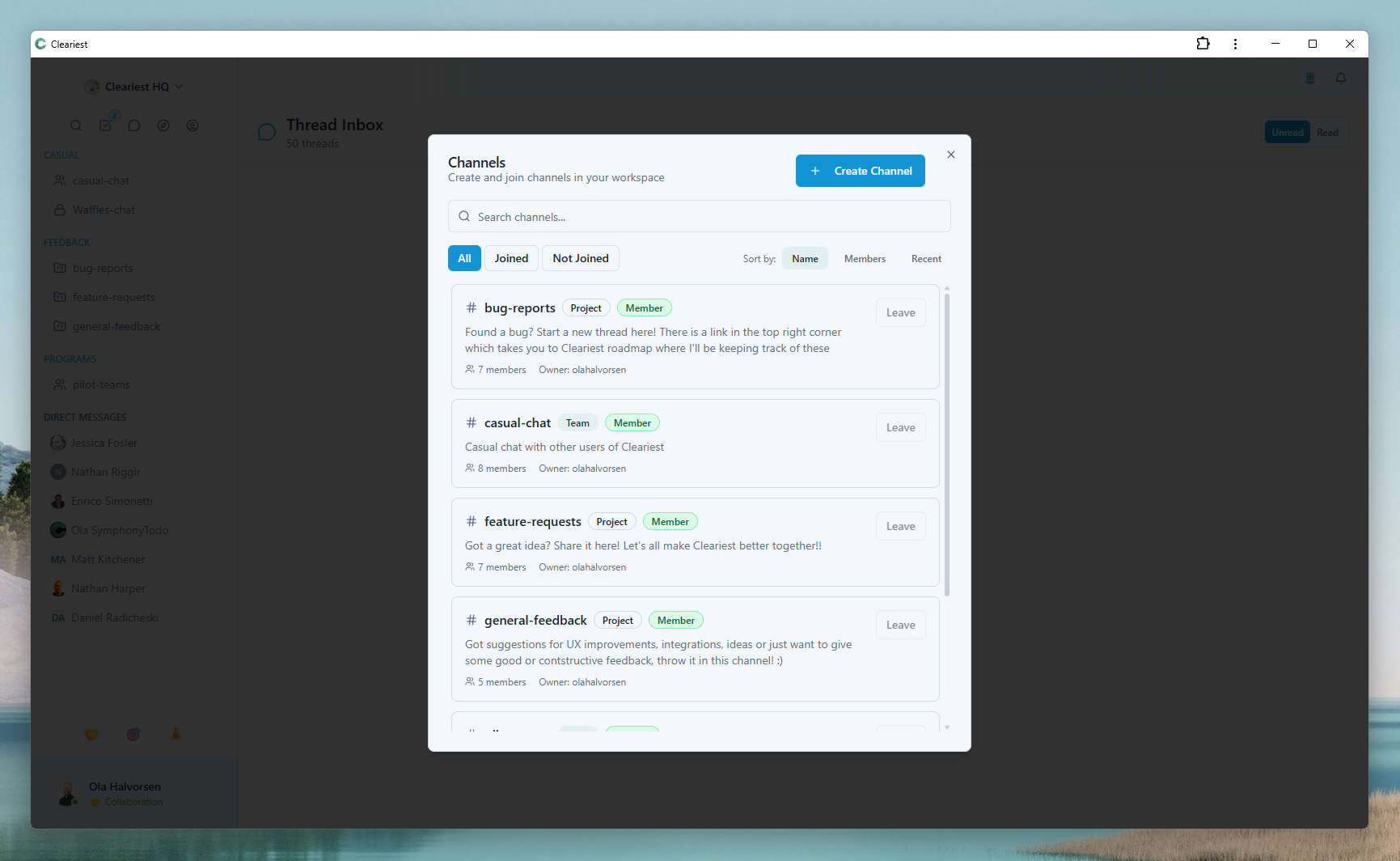
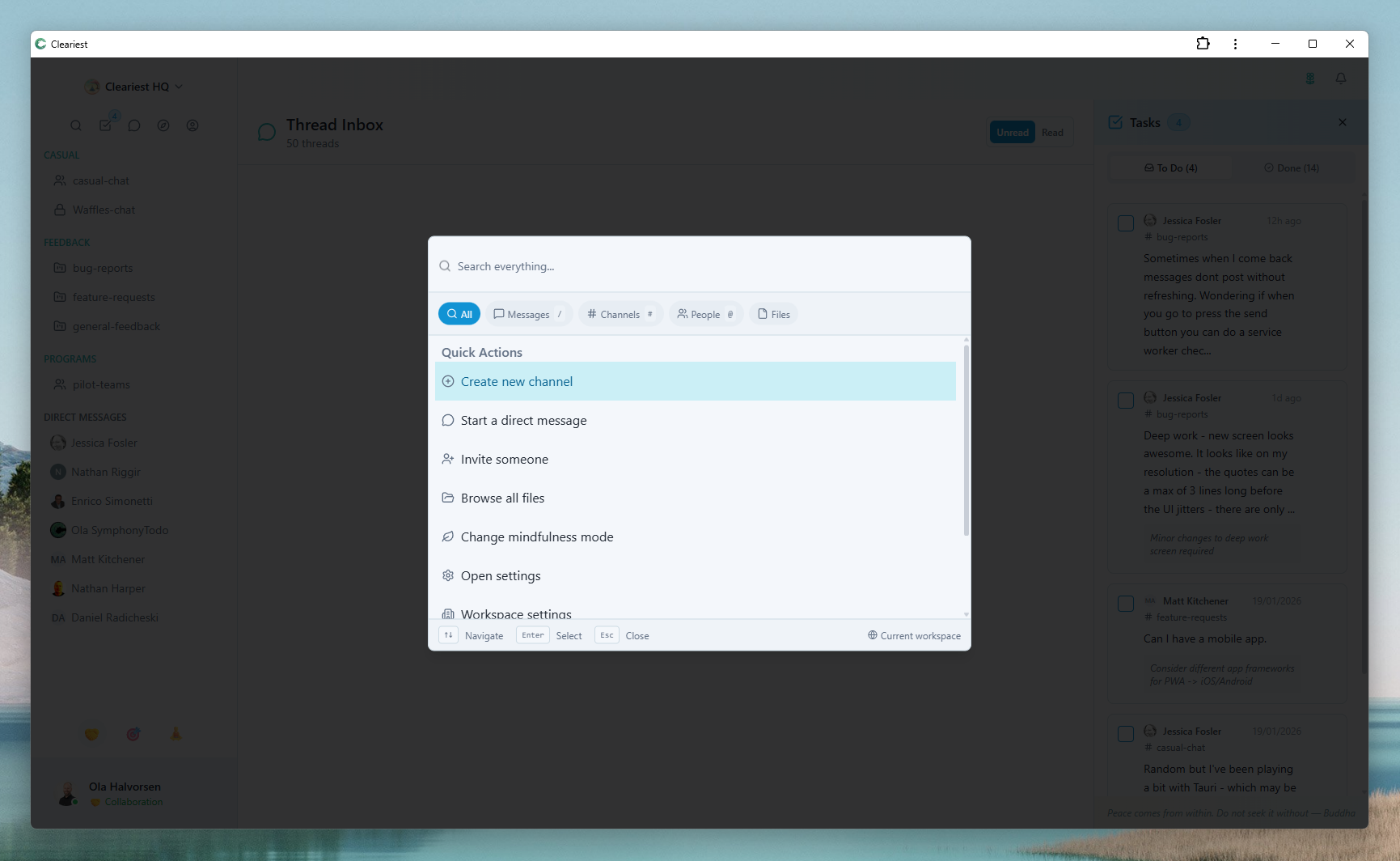
Enterprise-grade features in a simple interface: channel discovery and quick search built for small teams.
Why Enterprise Tools Are Wrong for Small Teams
The mismatch between enterprise tools and small teams isn't just about price. It's about the entire experience being designed for a different kind of organization.
Admin overhead
Complex permission systems, SSO configuration, compliance settings, and guest access management. These features exist because large organizations need them — but they create friction for 5-person startups.
Pricing shock
Slack's free tier cuts off message history at 90 days. Hit that limit and you face an upgrade decision for a product you've now relied on for months. Teams requires Microsoft 365.
Feature overwhelm
Slack has 2,600+ integrations. Most small teams use 2. The cognitive overhead of navigating a product built for every possible enterprise use case creates unnecessary complexity.
Complex onboarding
Every new hire needs to learn the Slack/Teams permission model, navigate the app directory, understand notification settings. For a 5-person team, this is disproportionate overhead.
What Small Teams Actually Need
Strip away the enterprise features, and what does a small team actually use in a team chat tool? The list is short.
Channels
Public channels to organize conversations by topic or project
Direct Messages
1:1 and small group messaging for private conversation
Search
Full-text search across all messages and channels
File Sharing
Upload and share files, images, and documents
Reactions
Emoji reactions to acknowledge messages without noise
Threads
Reply in threads to keep channels organized
That's basically it. Everything else is overhead.
The Hidden Cost of "Free" Enterprise Tools
Enterprise tools offer free tiers — but the free tier is designed as a trial, not a permanent option. Here's how the hidden costs emerge over time.
Slack Free Tier: The 90-Day Message History Trap
Slack's free tier is generous in many ways — but message history cuts off at 90 days. After three months, your conversation history starts disappearing. The first time you search for a decision made 4 months ago and can't find it, the upgrade calculus changes. By then, your team is locked in.
Microsoft Teams: Requires Microsoft 365
Teams is "free" if you already pay for Microsoft 365. For small teams that don't need the full Microsoft suite, the cost of Teams is actually the cost of a Microsoft 365 subscription — significantly more than a dedicated chat tool.
The Real Cost: Time and Switching Cost
Once a team is established on a tool with channels, history, and integrations set up, switching is painful. Enterprise tools count on this. The free tier gets your team embedded; the upgrade lock-in triggers at the moment it's hardest to switch.
Cleariest for Small Teams: Pricing & Trial
Cleariest starts at $29/month per workspace with a 14-day free trial, no credit card required. All plans include the same core features.
What's included on all plans
- Unlimited public channels
- Full message history
- Deep Work Mode
- AI channel summaries
- File sharing
- Direct messages and threads
- 14-day free trial
No hidden triggers
- No message history cutoff
- No paywalled core features
- No required Microsoft subscription
- No credit card to start
- No enterprise sales call

2-Minute Setup Walkthrough
Getting your small team on Cleariest takes less than 2 minutes. No IT approval, no enterprise onboarding flow, no demo required.
-
1
Create your workspace
Go to app.cleariest.com, sign up with your email, and name your workspace. Takes 30 seconds.
-
2
Invite your team
Share an invite link or send email invitations to up to 10 team members. They join in one click.
-
3
Create your channels
Set up 3-5 channels: #general, #engineering, #design, #product, #random. Public by default.
-
4
Done. Start communicating.
No integrations to configure, no permission matrices to design, no admin manual to read. Just start chatting.
Starter Pricing Comparison: Slack vs Teams vs Cleariest
| Feature | Slack Free | Teams Free | Cleariest Free |
|---|---|---|---|
| Message history | 90 days | Unlimited | Unlimited |
| Free member limit | Unlimited* | Unlimited* | 10 members |
| AI features | Limited | ||
| Deep Work Mode | |||
| Public channels default | |||
| Credit card required |
* Slack and Teams free tiers have limitations on integrations and admin features that become relevant at scale.
Frequently Asked Questions
Is Cleariest really free for small teams?
Yes. Cleariest includes a 14-day free trial on all plans with no credit card required. Plans start at $29/month per workspace (Calm). Unlike Slack (which limits the free tier to 90 days of history) or Teams (which requires a Microsoft 365 subscription), Cleariest includes Deep Work Mode, AI summaries, and full feature access from day one.
What's the best free team chat app?
For teams under 50 people, Cleariest at $29/month (Calm) is significantly cheaper than Slack ($7.25/user/month) or Teams ($6/user/month). A 10-person team pays $29/month total vs. $72.50 with Slack. All plans include unlimited message history, public channels, Deep Work Mode, AI summaries, and file sharing. 14-day free trial, no credit card required.
How does Cleariest compare to Slack for small teams?
For small teams, Cleariest differs from Slack in three key ways: pricing (flat $29/month per workspace vs. Slack's $7.25/user/month), design philosophy (async-first and focus-protecting vs. real-time responsiveness), and complexity (simple setup with no admin overhead vs. Slack's 2,600+ integrations). 14-day free trial, no credit card required.
Which Cleariest plan should our team choose?
Calm ($29/month) supports up to 10 members and includes all core features. Flow ($79/month) supports up to 25 members with priority support. Deep ($199/month) supports up to 100 members with dedicated support. All plans include the same features — the difference is team size. Start with a 14-day free trial on any plan.
Related Reading
Reduce Slack Notifications
Practical strategies to cut notification overload on any team size.
Onboarding New Team Members
How public channels make onboarding faster for growing small teams.
Focus Mode for Teams
Protect your small team's deep work time with team-wide focus sessions.
Best Chat for Async Teams
Compare team chat tools designed for async-first communication.
Perfect for Your Small Team
Free for teams up to 10 people. No credit card, no enterprise sales call, no 90-day message history trap. Just start.