Basecamp Alternative: When You Need More Than Campfire
Basecamp is one of the most thoughtfully designed productivity tools ever built. Its calm company philosophy, clean project organisation, and async-first approach reflect a genuine understanding of how good teams work. But Campfire — Basecamp's built-in chat — was never intended to replace a dedicated team communication tool. If you are outgrowing Campfire, here is what Cleariest offers.
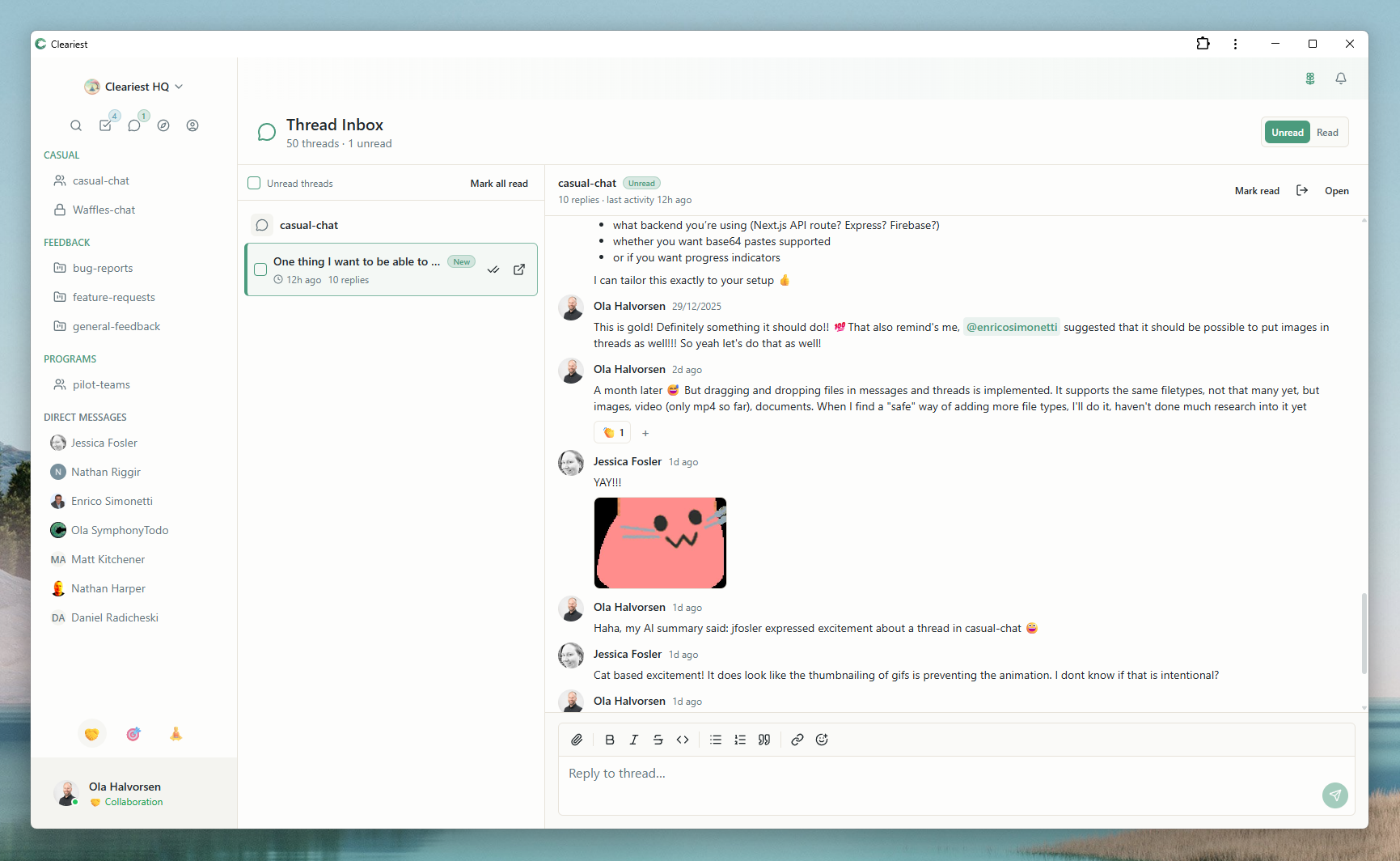
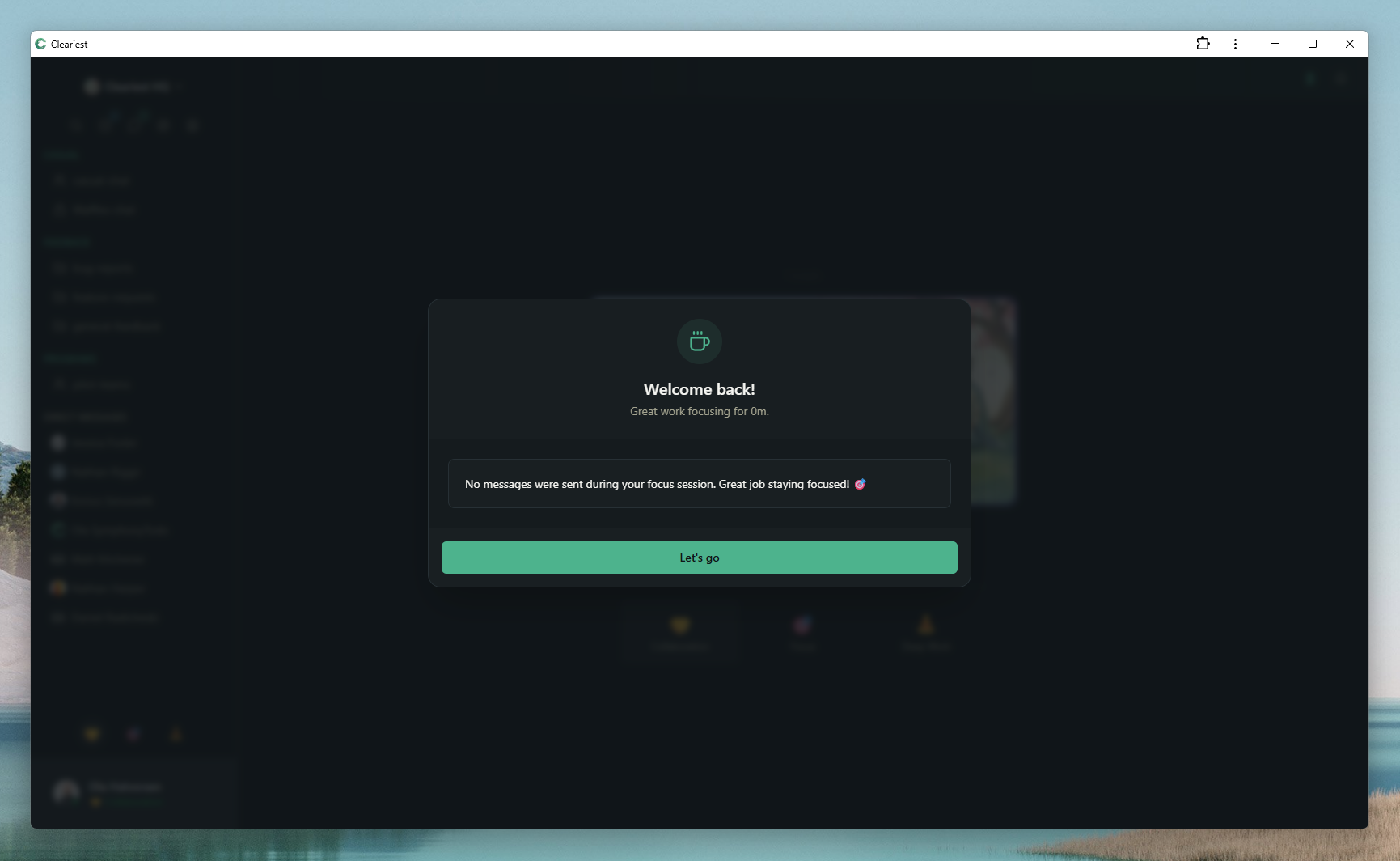
Cleariest's calm communication: threaded inbox and AI summaries for async catch-up.
What Basecamp Gets Right
It would be dishonest to write a page about Basecamp alternatives without acknowledging what makes Basecamp genuinely excellent. 37signals — the company behind Basecamp — has spent decades thinking carefully about how teams should work, and it shows.
The calm company philosophy is foundational. 37signals has built an entire body of work — including the books Rework, It Doesn't Have to Be Crazy at Work, and Remote — around the idea that good work happens when people have time to think, that constant interruption is a product of culture not necessity, and that healthy async communication is a competitive advantage. Cleariest was built with this same philosophy in mind.
Basecamp's project organisation is elegant. Everything lives in Projects — a to-do list, a message board for longer-form async communication, a schedule, file storage, and Campfire chat all grouped together in one place. For teams managing multiple concurrent projects, this structure prevents the chaos of scattered conversations and forgotten decisions.
The async-first defaults are also meaningful. Basecamp does not optimise for real-time response. The message board, long-form check-ins, and automatic check-in questions nudge teams toward considered communication rather than rapid-fire pinging. For teams that have bought into this way of working, Basecamp is genuinely excellent at what it does.
Where Campfire Falls Short
Campfire is a basic chat feature built into Basecamp. It serves as a "casual conversation" space within a project, but it was never designed to be the primary communication hub for a team. As teams grow and communication volume increases, Campfire's limitations become increasingly apparent.
No Message Threading
Campfire conversations are linear. When multiple topics are being discussed simultaneously, the conversation becomes a single stream where topics interweave. There is no way to reply to a specific message or keep related responses together. In active teams, this creates genuine confusion about what response is referring to what question.
No Deep Work Mode
Campfire has no focus protection. You can turn off notifications at the system level, but there is no built-in mechanism for signalling focus time to colleagues, batching incoming messages, or requiring a reason before interrupting someone mid-deep-work. For teams trying to protect concentration, Campfire offers no structural help.
No AI Summaries
Coming back to an active Campfire after a few hours away means scrolling through everything that happened. There is no AI summarisation to catch you up on what you missed. For teams with meaningful conversation volume, this is a real friction point that discourages people from actually reading context before jumping in.
Basic Notification Controls
Campfire notifications are relatively simple — you either get them or you don't. There is no notification batching, no scheduled delivery, no context about why someone is pinging you, and no mechanism for the team to build structured communication norms around focus time.
Chat is Secondary to Project Management
Campfire was built as a feature of Basecamp, not as the primary product. This means chat is one of six or seven features within Basecamp, not the core focus. The UX, notification design, and feature depth reflect this secondary status. Teams that need real-time chat as their primary communication mode will quickly feel that Campfire is not quite enough.
Cleariest Shares the Calm Philosophy
Cleariest was built with the same underlying principles as Basecamp: communication should not demand constant availability, interruptions should require justification, and teams do their best work when they have protected time to think. We read It Doesn't Have to Be Crazy at Work and agreed with most of it.
Where we differ is in the belief that teams also need capable, focused real-time chat. The choice is not between "constant Slack chaos" and "async-only Basecamp message board." There is a middle ground: a chat tool that defaults to calm, protects focus time structurally, and makes async catch-up easy — without sacrificing the real-time communication that genuinely helps teams move faster on certain decisions.
Deep Work Mode is the most direct expression of this philosophy. It creates friction around interruptions — not by making them impossible, but by requiring senders to acknowledge that they are interrupting someone's focus and to justify why it's necessary. This is exactly the kind of structural norm that 37signals has advocated for in their writing, applied directly at the tool level.
What Cleariest adds
- Threaded channels for organised conversations
- Deep Work Mode for structured focus protection
- AI summaries to catch up without reading everything
- Public-first channels for team transparency
- Notification batching during focus sessions
The shared philosophy
- Interruptions should require justification
- Good work requires protected thinking time
- Async communication is a superpower for distributed teams
- Simplicity beats feature bloat
- Culture of calm is a competitive advantage

Campfire vs Cleariest: Feature Comparison
| Feature | Campfire (Basecamp) | Cleariest |
|---|---|---|
| Message threading | ❌ Linear conversation only | ✅ Full threaded replies |
| Deep Work Mode | ❌ Not available | ✅ Full focus protection with batching |
| AI Summaries | ❌ Not available | ✅ Built-in thread summaries |
| Notification batching | Basic (on/off) | Full batching during focus sessions |
| Public channels by default | Project-scoped, not workspace-wide | ✅ Workspace-wide public channels |
| Pricing | $99/month flat (Basecamp) | Free up to 10 members |
| Full text search | Basic search within Basecamp | ✅ Full message search, unlimited history |
| File sharing | ✅ (via Basecamp storage) | ✅ Direct file sharing in chat |
| Project management | ✅ (Basecamp's primary use case) | ❌ Use Basecamp or Linear for this |
| Calm philosophy | ✅ Core to Basecamp's design | ✅ Core to Cleariest's design |
The Hybrid Approach: Basecamp + Cleariest
Many teams find that Basecamp and Cleariest complement each other naturally. They solve genuinely different problems:
Basecamp handles
- Project to-do lists and task management
- Long-form project discussions (message board)
- File and document storage per project
- Project schedules and milestones
- Automatic check-in questions
Cleariest handles
- Real-time team chat and coordination
- Public channels for cross-team transparency
- Deep Work Mode for protected focus time
- AI summaries for quick catch-up
- Direct messages and threaded discussions
In practice, this looks like: project planning, task assignment, and progress tracking in Basecamp; daily team communication, quick questions, and real-time coordination in Cleariest. When a decision is made in Cleariest chat, the relevant action goes into Basecamp as a to-do. When a Basecamp project hits a milestone, the update gets shared in the relevant Cleariest channel.
The overhead of running two tools is low — team members check Basecamp less frequently (for project context) and Cleariest more frequently (for team communication). This mirrors how many teams already use email for some communication and Slack for others, but with better-defined boundaries.
Related Reading
Frequently Asked Questions
Is Cleariest replacing Basecamp?
No. Cleariest and Basecamp serve different purposes. Cleariest is a team chat application — real-time messaging, channels, threads, and async communication. Basecamp is a project management tool with to-dos, schedules, documents, and Campfire (a basic chat). Many teams use both together: Basecamp for project management and Cleariest for team communication.
Does Cleariest have project management features?
Cleariest focuses on communication. For project management — to-dos, milestones, schedules, and document organisation — Basecamp or dedicated tools like Linear, Notion, or Trello are better choices. Cleariest works alongside these tools rather than replacing them. We believe the best tools do one thing exceptionally well rather than trying to be everything.
What does Cleariest cost vs Basecamp?
Basecamp costs $99/month flat (for unlimited users) or $299/month for Basecamp Business. Cleariest starts at $29/month per workspace (Calm plan) with no message limits and a 14-day free trial. For small teams, adding Cleariest for chat alongside Basecamp for project management totals $128/month — significantly less than Basecamp Business alone.
Can I use Cleariest and Basecamp together?
Yes, and many teams find this combination works very well. Basecamp handles project organisation, to-dos, file storage, and asynchronous project communication. Cleariest handles real-time team chat with Deep Work Mode and AI summaries. The two tools complement each other rather than overlap significantly, and using both keeps a clean separation between "what are we working on" (Basecamp) and "how are we communicating" (Cleariest).
More Than Campfire, Built for Calm
Cleariest starts at $29/month per workspace with a 14-day free trial. Deep Work Mode, AI summaries, threaded channels — the team chat that shares the calm company philosophy and adds what Campfire is missing.